


Language Learning | Jumpspeak
4.11.20K Reviews
App Specs
- Version
- 5.4.2
- Updated On
- License
- Free
- Downloads
- 500,000+
- Developer
- Jumpspeak.com
- Categories
- Education
- Platform
- Android
Screenshots
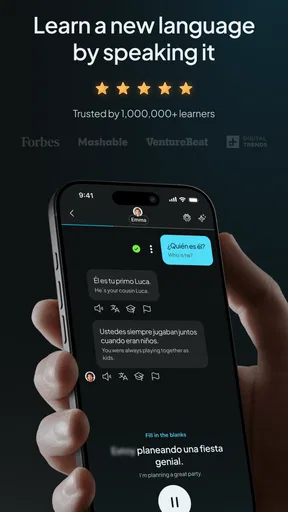
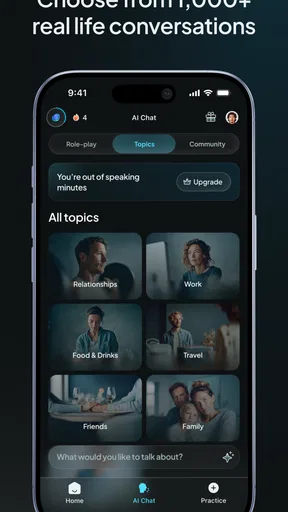
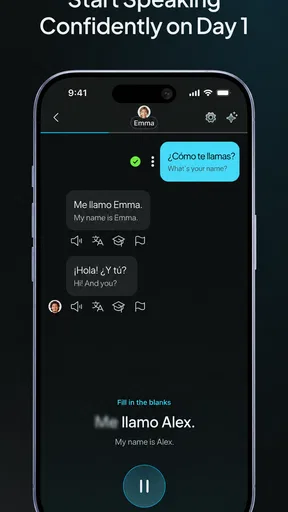
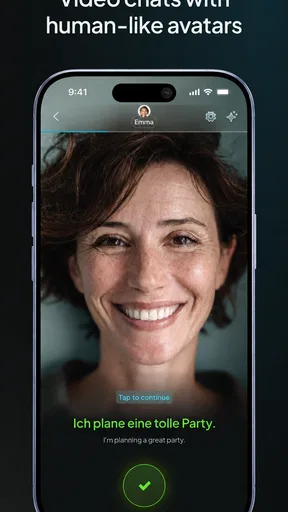
 Analysis by AppCompare
I see Jumpspeak as a speaking-first way to approach language learning: its strongest appeal is getting you to form responses aloud instead of keeping every lesson at the level of recognition and tapping. That makes it worth considering if you want to feel less hesitant in everyday conversations, though it is not a complete substitute for every kind of language study. I’d treat it as a practical tool for building speaking confidence, not a promise of quick fluency.
Where conversation practice earns its place
The conversational format changes what a practice session asks of you. Rather than only choosing a word from a list, you have to listen, decide what you want to say, and produce a response. That small shift matters: it makes practice feel closer to retrieving language under pressure, which is often the part learners avoid until they need it in real life.
A useful way to fit it into a busy day is to tie a short session to an existing routine, such as a quiet commute or a few minutes before dinner. I’d choose one familiar situation and repeat it across several sessions instead of jumping between unrelated topics. Repetition can make the words easier to retrieve, while the conversational format gives you a reason to say them rather than merely recognize them.
A realistic test beyond the lesson screen
Imagine you are preparing for a trip and want to feel more comfortable ordering food or asking a simple question. A conversation-based exercise can help you rehearse the moment without the social pressure of speaking to a stranger. Afterward, I’d note one phrase that felt difficult and try to use it again in a later session. That gives the practice a clear purpose and makes it easier to spot what still needs work.
It is also useful for learners who understand more than they can say. If you can follow familiar words but freeze when it is your turn to answer, speaking practice targets that gap more directly than another round of passive review. The trade-off is that this kind of rehearsal cannot reproduce every real-world complication: people may speak quickly, change the subject, or use expressions you have not practiced. I would use it to prepare, then look for chances to listen to and speak with people outside the app when possible.
Getting Started with Jumpspeak
First off, downloading Jumpspeak is a breeze. Just head to your app store, and you’ll be good to go. Once you’ve got it on your phone, the initial setup is pretty straightforward. They walk you through a quick questionnaire to gauge your current level and what languages you’re interested in. I decided to dive into Spanish, aiming to surprise my grandma the next time we chat.
Interface and Usability
Let me just say, the interface is slick. It’s got this minimalist vibe that’s not overwhelming at all. Navigating through the app is incredibly intuitive. Everything is laid out clearly, and you won’t find yourself lost in a maze of options. Plus, the color scheme is easy on the eyes, which is a big plus when you’re planning to spend a lot of time on it.
Worth Reading Before You Choose

EA SPORTS FC Mobile 26 Is a Bigger Football Game, but It Takes Time

Flipboard Shows What News Apps Must Do Beyond the Feed

Switching to Android Auto Means Rethinking Your Driving Routine

Google Calendar Makes a Crowded Week Easier to Manage

Ludo King Makes the Most of the Minutes Between Plans

Baby Panda World Brings Quick Play to Modern Phones, but Its Game Library Feels Busy
Learning Methods
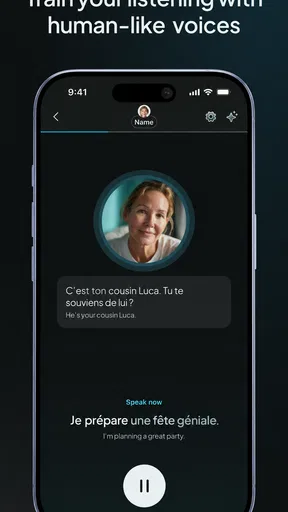
What I love about Jumpspeak is their unique approach to language learning. Instead of just drilling vocabulary or grammar rules, they focus on real-life conversations. You get to practice speaking with AI-powered chat partners that simulate real-world interactions. It’s like having a language buddy in your pocket 24/7! I found myself actually enjoying the process rather than just going through the motions.
"The interactive conversations are game-changers. It feels like you’re chatting with a buddy, not just an app."
Making practice work for your level and goals
When you are choosing a language, think about what you want to do with it before you begin: travel, family conversations, or getting comfortable speaking are different goals. A quick level check can help orient your starting point, but I would still pay attention to whether the practice feels manageable. If responses are too easy, try answering with a fuller sentence; if they feel overwhelming, slow down and focus on one useful phrase at a time.
One practical habit is to say your answer out loud before moving on, even when you already know what you want to express. That creates a little retrieval challenge and makes the session more like speaking than silently reading. I would also keep a small personal list of words or phrases that repeatedly trip you up. The point is not to build a second, complicated study system; it is to carry the most useful lessons from a conversation into the next one.
Jumpspeak is made by Jumpspeak.com and is an education app for learners interested in Spanish, French, German, and more than twenty languages. It is free to install, with in-app purchases ranging from $12.99 to $499.99 per item, so I would check the available terms in the app before committing to a paid option. Its average rating is 4.2 from around 6,500 ratings, and it has more than 100,000 installs. It is rated for Everyone, with a minimum operating-system requirement of version 7.0; version 5.2.24 is the current release.
How it compares with other learning styles
Compared with flashcard-focused study, Jumpspeak puts more emphasis on producing a spoken answer than on reviewing isolated vocabulary. Flashcards can be more convenient when you have only a moment or want to drill a specific set of words, so I would not abandon them if remembering vocabulary is your main challenge. A structured course may be a better fit if you want explicit grammar explanations and a carefully staged syllabus. Jumpspeak’s conversational approach is most appealing when the missing piece is practice turning what you know into something you can say.
Features that Stand Out
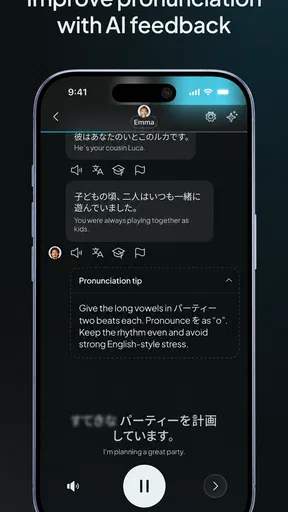
One feature that stood out to me is the instant feedback mechanism. As you speak, the app provides immediate responses, helping you correct your pronunciation and grammar on the fly. This hands-on correction is incredibly helpful, especially for someone like me who’s a bit self-conscious about speaking a new language out loud.
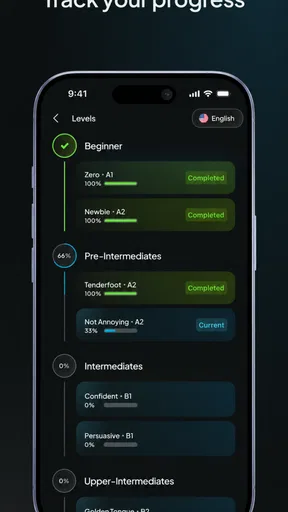
Another cool aspect is the gamification. You earn points and badges as you progress, which makes the experience feel more like a game and less like a chore. It really motivates you to keep pushing forward, aiming for that next badge or level.
What feedback and motivation can—and cannot—do
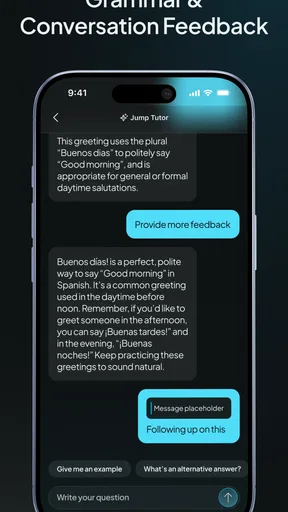
Immediate correction can be useful because it gives you a chance to adjust while the phrase is still fresh in your mind. I would treat it as a practice cue rather than a final judgment of how a native speaker would hear you. A corrected response can help you notice a pronunciation or grammar issue, but it does not replace learning why a construction works or hearing how people use it in varied contexts. If an explanation does not stick, write down the example and revisit it later instead of repeating it mechanically.
Points and badges can add a satisfying nudge, especially when you are building a routine from scratch. I would use them as a reminder to return, not as the measure of whether you are learning well. A short session where you can recall and say a useful phrase is more valuable than rushing through activities simply to collect progress markers. That distinction helps keep the game-like layer encouraging rather than turning practice into a checklist.
Who should choose it—and who may prefer another route
I would recommend Jumpspeak to a learner who already has a reason to speak and wants low-pressure rehearsal: someone preparing for a visit with relatives, practicing basic travel exchanges, or trying to get past the awkward first seconds of conversation. It can also suit people who lose interest in vocabulary drills but enjoy responding to prompts. The broad language selection makes it worth exploring if you are starting one of the languages it offers, while the speaking emphasis gives the practice a clear purpose.
It is less suitable as a sole resource if your priority is detailed grammar instruction, extensive reading, or a teacher’s individualized explanation. A textbook or structured course may give you a clearer sequence for those needs, while real conversation with a tutor or language partner is better for adapting to unpredictable replies. If you are not comfortable speaking aloud where you usually study, that can also make a voice-centered routine inconvenient; choosing a quiet place and a predictable time may help, but it is a real consideration.
Cost, expectations, and a sensible way to begin
Because the app is free to install but includes paid in-app options, I would explore the free experience first and decide what you need before purchasing anything. The listed purchase range is broad, so it is sensible to inspect the current offer and its terms in the app rather than assume every learner will face the same choice. The key question is whether you actually return to the conversation practice and find it useful; paying for access is unlikely to help if the speaking format does not fit your habits.
For a first week, I would keep the goal modest: choose one everyday situation, practice a few times, and notice whether you can answer with less hesitation. Don’t judge progress only by how many words you recognize or how many sessions you complete. Ask whether you can retrieve a phrase when prompted and whether feedback helps you make a clearer attempt next time. That is a more grounded test of whether this app is serving your personal goal.
Community and Support
Jumpspeak also has a supportive community. You can connect with fellow learners, share your progress, and even join group challenges. It’s nice to know you’re not on this journey alone, and having that support can really boost your morale.
- Interactive AI conversations
- Instant feedback on pronunciation
- Gamified learning experience
- Community support and challenges
Community features are most helpful when they give you a reason to stay consistent or let you compare notes with people working toward similar goals. I would keep the focus on your own speaking needs rather than treating other learners’ pace as a standard to match. If social participation motivates you, it can make practice feel less solitary; if you prefer a private routine, the conversation exercises can still be the central reason to use the app.
Final Thoughts
All in all, Jumpspeak is a fantastic tool for anyone serious about learning a new language. Its focus on real-world application and engaging learning methods make it stand out from the crowd. If you’re tired of traditional language apps and want something that feels more dynamic and interactive, give Jumpspeak a try. Who knows? You might just find yourself fluent in no time!
My more measured verdict is that Jumpspeak is best viewed as a speaking-practice companion, not a shortcut to fluency. Its conversational focus, immediate feedback, and motivational elements give it a clear role for learners who need to speak more often; its limits matter if you want a complete course or detailed instruction. Start with a practical goal, test whether the routine suits you, and pair it with other study when your needs go beyond rehearsal. If that is the gap you are trying to close, I think it is a worthwhile app to try.
Pros
- Interactive speaking exercises enhance learning.
- Real-time feedback improves pronunciation skills.
- User-friendly interface for easy navigation.
- Diverse language options to choose from.
- Offline mode available for learning on the go.
Cons
- Limited advanced content for fluent speakers.
- Requires subscription for full access.
- Occasional bugs in voice recognition feature.
- Some languages have fewer practice modules.
- No option for personalized learning paths.
FAQs for Language Learning | Jumpspeak
What is Jumpspeak and how does it work?
Jumpspeak is an interactive language learning app focused on improving conversational skills. It uses AI-driven technology to simulate real-life dialogues with instant feedback. Users can practice speaking with native-level fluency and receive corrections, making it ideal for those looking to enhance their speaking abilities in a new language.
Which languages are available on Jumpspeak?
Jumpspeak offers a variety of popular languages including Spanish, French, Italian, German, and Mandarin. The app regularly updates its language offerings, so users can expect more languages to be available over time. It is designed to cater to both beginners and advanced learners seeking to improve their speaking skills.
Is Jumpspeak suitable for beginners?
Yes, Jumpspeak is tailored for learners at all levels, including beginners. The app provides structured lessons that gradually increase in difficulty. Beginners can start with basic vocabulary and sentence structures, while more advanced users can engage in complex conversations to refine their fluency and pronunciation.
Can Jumpspeak be used offline?
While an internet connection is required for initial downloads and updates, Jumpspeak does offer offline capabilities for practicing languages. Users can download lessons and practice speaking without an active internet connection, making it convenient for learning on the go or in areas with limited connectivity.
Does Jumpspeak offer a free trial or subscription model?
Jumpspeak typically provides a free trial period for new users to explore its features. After the trial, users can choose from various subscription plans, including monthly and annual options. This allows users to decide if the app aligns with their learning goals before committing to a paid plan.


